


Tap Color® Color by number
4.741.89K Reviews
App Specs
- Version
- 8.9.4
- Updated On
- License
- Free
- Downloads
- 10,000,000+
- Developer
- Tap Color Studio
- Categories
- Board
- Platform
- Android
Screenshots

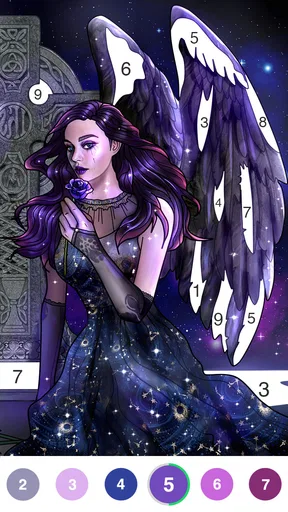
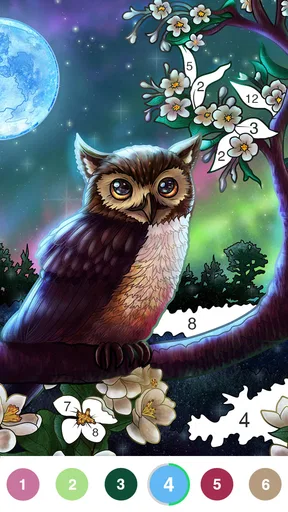
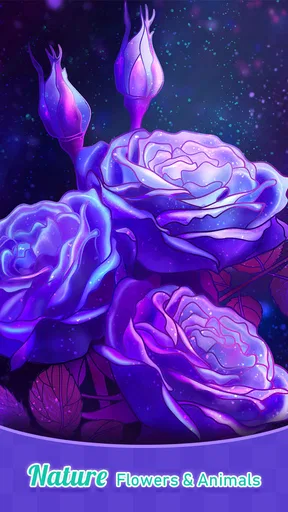
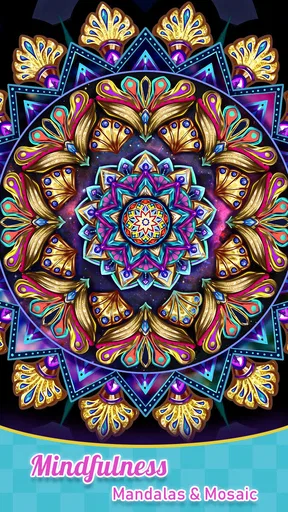


 Analysis by AppCompare
Hey there! Today, I’m diving into the world of relaxation and creativity with an app that’s been buzzing in the art community lately: Tap Color® Color by number. If you’ve ever found yourself doodling absentmindedly or if coloring helps you unwind, this app might just be your next favorite pastime.
Small goals make it easy to begin
The first goal here is refreshingly simple: choose an image, match numbered spaces with their colors, and watch the picture take shape. There is no complicated setup to learn before you can start. I like that the basic loop gives a clear next action without demanding artistic confidence; you don’t need to pick colors or draw clean outlines yourself.
That makes the game particularly useful in short, ordinary breaks. I can imagine opening it while waiting for a meal to finish or taking a quiet pause between tasks, completing a few areas, then putting the phone down. It suits people who want a calm activity with a visible result, rather than a game that asks for quick reactions or a long, uninterrupted session.
So, I downloaded Tap Color® Color by number on a lazy Sunday afternoon, looking for something to do while sipping on my coffee. The download was quick and painless, and before I knew it, I was diving into a world of vibrant hues and intricate designs.
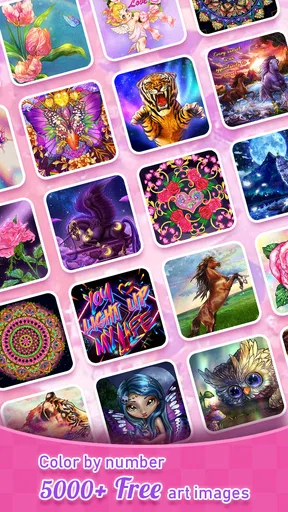
The interface is super user-friendly. As soon as you open the app, you’re greeted with a gallery of images ranging from simple designs for beginners to complex artworks for those who like a challenge. I was impressed by the variety—there’s something for everyone, whether you’re into landscapes, animals, or abstract art.
Progress you can see, one color at a time
Coloring by number gives each image a built-in sense of direction. Instead of facing a blank page, I can look for spaces assigned to a color and make steady progress through the picture. The finished image is an immediate payoff, but the smaller signals matter too: a patch that was gray becomes bright, and the composition becomes easier to read as more sections are filled.
A practical tip is to treat one sitting as a small part of a picture rather than a promise to finish it. If I have only a few minutes, I can work on the color that is easiest to locate and stop when I’m ready. That avoids turning a relaxing pastime into another task on a checklist. For a longer break, choosing a more involved design gives me more to work through without changing the simple tap-to-fill routine.
Worth Reading Before You Choose

Flipboard Shows What News Apps Must Do Beyond the Feed

Switching to Android Auto Means Rethinking Your Driving Routine

Google Calendar Makes a Crowded Week Easier to Manage

Ludo King Makes the Most of the Minutes Between Plans

Baby Panda World Brings Quick Play to Modern Phones, but Its Game Library Feels Busy

ESPN’s Live Game View Makes Following Close Games Easier
Getting Started with Tap Color®
If you’ve never tried a color-by-number app before, let me break it down for you. The app presents you with a grayscale image with numbers scattered across it. Each number corresponds to a specific color. All you have to do is tap, and voila! The section fills with color. It’s oddly satisfying and incredibly addictive.
The app offers a palette of colors that are both vibrant and soothing. You can feel your stress melting away with each tap. Plus, there’s no pressure to stay within the lines because the app takes care of that for you. It’s a no-stress zone, perfect for winding down after a long day.
Challenge without a steep learning curve
The difficulty comes from the picture and the amount of detail it contains, not from having to master complicated controls. That is a good fit for someone who wants a gentle challenge: the routine stays familiar while a more intricate image can take longer to work through. It also means the app is approachable if you have never colored digitally before.
There is a trade-off, though. Because the numbered regions guide the choices, this is not the same kind of creative freedom as drawing or painting from a blank canvas. I wouldn’t choose it when I want to experiment with my own palette, make deliberate brushstrokes, or practice illustration skills. A drawing app—or paper and pencils—would be better for that. Here, the pleasure is in completing a guided image, not designing one from scratch.
Features That Stand Out
One of the standout features of this app is its daily new images. Every day, you get fresh content to keep your creative juices flowing. It’s like waking up to a new surprise each morning. Additionally, if you’re someone who loves sharing your creations, the app makes it easy to post your finished masterpieces on social media.
Another cool feature is the time-lapse playback. Once you finish an artwork, you can watch a time-lapse video of your creation coming to life. It’s a great way to see your progress and appreciate the time you’ve invested in your art.
A calm routine, with a few things to weigh
Fresh pictures and the satisfaction of finishing one can give me a reason to return, but I would not treat daily content as an obligation. The game works best when I open it because I want a quiet, guided activity, not because I feel I have to keep a streak or catch up. That distinction matters for anyone who is trying to avoid turning a relaxing phone habit into another source of pressure.
For an everyday example, I might use it during a low-energy evening: pick a picture that looks appealing, fill in a few numbered areas, and leave the rest for another time. If I finish, the time-lapse offers a pleasant look back at the image taking shape. If I don’t, the session can still feel complete because I have made visible progress. This flexible stopping point is one of the more useful parts of the format.
Tap Color® is a board game from Tap Color Studio, and the familiar numbered-color mechanic makes it closer to a guided puzzle than a traditional competitive board game. Compared with physical coloring books, it removes the need to gather supplies and keeps the colors neatly contained, but it also replaces the tactile feel of paper and pencils with tapping on a screen. Compared with open-ended art apps, it asks less of the user but offers less control. I’d choose it for calm repetition, not for freeform creativity or a social match against another player.
Who will enjoy it—and who may not
The broad image selection makes the game easy to sample across different moods, and its Everyone age rating reflects its accessible style. I can see it working for adults who want a low-pressure wind-down, younger players who enjoy matching numbers and colors, or family members who want to take turns choosing pictures. A coloring competition can be a playful shared activity, although the appeal is more about comparing finished images than testing strategy or speed.
It is less suitable for someone who needs a strong narrative, tactical choices, or a clear win-and-lose challenge to stay interested. The main reward is the artwork becoming complete. If that gradual visual change feels repetitive rather than soothing, a conventional board game with turns and decisions will probably hold attention better. Likewise, anyone seeking a serious art tool should look elsewhere for brush control and original composition.
Perfect for All Ages
One thing I love about Tap Color® is its universal appeal. Whether you’re a kid, a teenager, or an adult, you’ll find the app engaging. It’s a great way to bond with your family; you can even have coloring competitions! The app’s simplicity makes it accessible for kids, while the complexity of designs can challenge adults.
Free to try, with purchases to consider
The game is free to download, so it is easy to see whether the coloring loop suits you before spending anything. In-app purchases range from $0.99 to $99.99 per item, which is a broad spread rather than a single upgrade price. I’d start with the free experience and decide based on how often I return and whether the available pictures keep me interested. A purchase only makes sense if it adds value to the way you personally use the app; it is not necessary just to find out whether the basic activity is enjoyable.
One useful way to judge that is to notice what you actually want during a session. If you are content choosing from the pictures available to you and coloring at your own pace, there may be no reason to buy anything. If you regularly want more options, the extra spending may feel worthwhile, but I would set a personal limit first. The price range makes it sensible to check each purchase carefully rather than tapping through casually.
My Final Take
All in all, Tap Color® Color by number is a fantastic way to relax and unleash your creativity. It’s easy to get lost in the coloring process, and before you know it, hours have flown by. Whether you’re looking to de-stress, improve your focus, or just have some fun, this app is definitely worth a try.
On the practical side, it has a 4.7 average from around 269,000 ratings, and it has been installed over 10 million times. It was released on October 10, 2018, and the current version is 8.9.4, with Android 6.0 as the minimum system requirement. Those details make it a familiar, established option for people browsing casual coloring games, while the simple premise remains the main reason to try it.
So, if you’re in the mood for some colorful escapism, go ahead and give Tap Color® a download. Who knows? You might just find a new hobby that brightens your day and adds a splash of color to your life.
How I’d decide whether to keep it
I’d give it a place on my phone if I wanted a repeatable, low-effort activity that fits around the day rather than taking it over. The strongest reason to keep playing is the steady visual payoff: every small choice contributes to a finished picture, and the time-lapse gives that process a satisfying ending. The main reason to move on would be wanting deeper choices, original drawing, or a more demanding game structure.
My recommendation is to try it as a short-break game first, not as a commitment to complete every image or make daily progress. That gives you a fair sense of whether the numbered coloring feels meditative or monotonous. For the right person, it is an easy way to turn a few spare minutes into a tidy, colorful result; for someone who needs more agency or challenge, another kind of game will be a better fit.
Pros
- Easy-to-use interface for beginners.
- Wide variety of coloring pages.
- Regular updates with new images.
- Offline mode available.
- Relaxing and stress-free experience.
Cons
- Limited free images without subscription.
- Occasional ads can be disruptive.
- Some images require in-app purchases.
- No custom color palette feature.
- Large app size may affect storage.
FAQs for Tap Color® Color by number
What is Tap Color® Color by Number?
Tap Color® Color by Number is a digital coloring app available on Android and iOS platforms. It allows users to relax and express their creativity by coloring intricate designs using a simple tap-to-fill system. With a wide variety of categories and images, the app caters to all age groups, providing an engaging and therapeutic experience.
Is Tap Color® Color by Number free to use?
The app offers a free version that includes a selection of images and features. However, for access to premium content, such as exclusive images and additional tools, users can opt for a subscription or one-time purchase. This freemium model ensures accessibility while offering enhanced experiences for those willing to pay.
What features does Tap Color® Color by Number offer?
Tap Color® Color by Number provides a range of features including a vast library of images, daily updates with new designs, and a user-friendly interface. The app also supports offline coloring, so users can enjoy it without an internet connection. Additionally, it offers tools like hints and a color palette to enhance the coloring experience.
Can I share my completed artwork from Tap Color® Color by Number?
Yes, the app allows users to share their finished artwork directly from the app to social media platforms like Instagram, Facebook, or via email. This feature enables users to showcase their creativity and connect with other coloring enthusiasts, fostering a sense of community and engagement.
Is Tap Color® Color by Number suitable for children?
Tap Color® Color by Number is designed to be family-friendly, making it suitable for children. The app includes a variety of child-appropriate images and offers a simple interface that is easy for kids to navigate. Parents can feel confident that the app provides a safe and creative environment for their children.


